
Accessibility Basics for Non-Technical Leaders: What Matters, What's Misunderstood, and Where to Start
Accessibility conversations often get handed off to developers, and that's lazy leadership. You don't need to code to make sure your brand doesn't accidentally exclude people.
Accessibility conversations often get handed off to developers. And then they stay there, buried in technical jargon, until something goes wrong.
But accessibility isn’t just a technical problem. It’s a business decision, a brand decision, and increasingly, a legal one. It’s also personal for me, but I’ll get to that.
If you’re leading a team, running a company, or making decisions about your brand presence, you need to understand the basics, even if you’re never going to write a line of code.
Here’s what actually matters.
What Is Accessibility?
Accessibility means designing and building content so that people with disabilities can use it. That includes people with visual impairments, hearing impairments, mobility limitations, cognitive differences, and neurological conditions.
It’s not about building a separate experience for disabled users. It’s about building one experience that works for everyone.
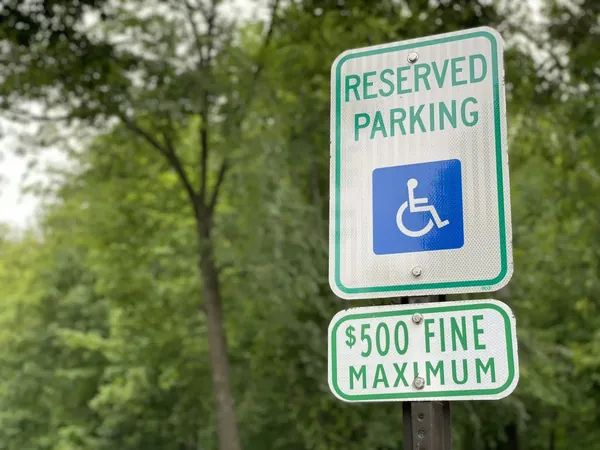
And while most accessibility conversations focus on websites and apps, the same principles apply to everything you put into the world. Print, signage, presentations, documents. If someone can’t access it, it’s an accessibility problem.
According to the World Health Organization, over 1.3 billion people globally live with a significant disability. That’s roughly 16% of the world’s population. In the U.S. alone, 61 million adults have some type of disability, according to the CDC. These aren’t edge cases. They’re a significant portion of your potential audience.
What is WCAG?
WCAG stands for Web Content Accessibility Guidelines. It’s the internationally recognized standard for web accessibility, developed by the World Wide Web Consortium (W3C).
WCAG is built around four principles. Content must be:
- Perceivable. Users must be able to perceive the information being presented. This means providing text alternatives for images, captions for videos, and sufficient color contrast.
- Operable. Users must be able to navigate and interact with the interface. This includes keyboard accessibility, giving users enough time to read content, and not designing content that could cause seizures.
- Understandable. Users must be able to understand the information and how to use the interface. This means clear language, consistent navigation, and helpful error messages.
- Robust. Content must work across different technologies, including assistive technologies like screen readers.
WCAG has three levels of conformance: A (minimum), AA (recommended for most sites), and AAA (highest). Most legal requirements and industry standards point to WCAG 2.1 Level AA as the baseline.
The most recent version, WCAG 2.2, was released in October 2023 and added new criteria focused on users with cognitive and learning disabilities, low vision, and those using mobile devices.
The Current State Of Accessibility Is Not Good
The WebAIM Million report, which analyzes the accessibility of the top one million home pages, found that 94.8% of home pages had detectable WCAG failures in 2025. That’s a slight improvement from 95.9% in 2024, but still means nearly all websites have accessibility problems.
The average page had 51 accessibility errors. The most common issues are basic: low contrast text, missing alt text on images, empty links, missing form labels, empty buttons, and missing document language. These six categories account for 96% of all detected errors.
These aren’t obscure technical problems. They’re the basics, and almost everyone is getting them wrong.
Common Misconceptions
“Accessibility is only for blind users.” Vision impairment is one piece of a much larger picture. Accessibility also covers hearing, mobility, cognition, and neurological differences. It also benefits people with temporary impairments, like a broken arm, or situational limitations, like trying to watch a video in a loud environment without headphones.
“We’ll add accessibility at the end.” Retrofitting accessibility is expensive and often incomplete. It’s far more effective to build accessibility into the process from the start. Trying to bolt it on after launch is like trying to add plumbing after the walls are up.
“Automated tools will catch everything.” Automated testing tools can only detect about 30% of WCAG issues. The rest require manual testing, including testing with actual users who have disabilities. Automated tools are a starting point, not a finish line.
“Accessibility overlays solve the problem.” Those toolbar widgets that promise one-click accessibility compliance don’t work. In many cases, they make things worse. They’ve been widely criticized by the disability community and accessibility professionals. There’s no shortcut.
“Our audience doesn’t include people with disabilities.” You don’t know that. Disabilities aren’t always visible, and many people don’t disclose them. Beyond that, accessible design benefits everyone. Captions help people in noisy environments. Good contrast helps people in bright sunlight. Clear navigation helps everyone.
The Business Case
Accessibility isn’t just about avoiding lawsuits, though that’s part of it. ADA-based web accessibility lawsuits reached over 4,600 cases in 2023, a 14% increase from the previous year. eCommerce sites are the most frequently sued, followed by food service and education.
But the business case goes beyond risk mitigation.
According to research compiled by AllAccessible, the ROI of accessibility is roughly $100 for every $1 invested, based on a 2024 Forrester analysis. The same source found that cart abandonment rates are 69% on inaccessible sites compared to 23% on accessible ones.
People with disabilities control significant spending power. The Click-Away Pound survey found that 69% of disabled online consumers click away from a site they find difficult to use. That’s lost revenue, not just a compliance gap.
Accessible sites also tend to perform better overall. The practices that make a site accessible, like clear structure, good labeling, and clean code, also improve SEO, usability, and performance for everyone.
What Non-Technical Leaders Need To Do
You don’t need to become a WCAG expert. But you do need to make accessibility a priority, not an afterthought.
- Include accessibility in project briefs and RFPs. If you’re hiring an agency or developer, specify WCAG 2.1 AA compliance as a requirement. Ask how they approach accessibility and how they test for it.
- Budget for it. Accessibility takes time and expertise. If it’s not in the budget, it won’t happen. Build it in from the start rather than scrambling to fix it later.
- Ask for audits. If you have an existing site, get an accessibility audit. This will identify issues and prioritize what needs to be fixed. Audits should combine automated testing with manual review.
- Involve people with disabilities. User testing with actual disabled users will surface problems that no automated tool or checklist will catch. Their feedback is invaluable.
- Make it part of your culture. Accessibility isn’t a one-time project. It’s an ongoing commitment. Train your team, build it into your processes, and treat it as a core part of quality, not an add-on.
It’s Not Just Digital
Most accessibility guidance focuses on websites, but the same thinking applies to print. Font size, color contrast, paper finish, clear visual hierarchy. If your brochure uses light gray text on white paper, that’s an accessibility problem. If your event signage is too small to read from a reasonable distance, that’s an accessibility problem.
This also applies to documents you share digitally. PDFs without proper tagging aren’t readable by screen readers. Presentations without sufficient contrast are hard to follow. Spreadsheets without clear labeling are difficult to navigate.
Accessibility is about making sure people can access what you’re putting into the world, regardless of the medium.
Why This Is Personal
My best friend is disabled. I’ve seen firsthand what it looks like when a website, an app, or a document doesn’t work for her. It’s frustrating, exclusionary, and often completely avoidable.
Accessibility isn’t something I approach as a compliance requirement. It’s something I pride myself on because I know it matters to real people, not just as a statistic, but as a lived experience. When I build something, I want her to be able to use it.
That’s why I care about this beyond the business case. The business case is real, but so is the human one.
The Takeaway
Accessibility isn’t a technical checkbox. It’s a decision about who gets to use what you build.
The standards exist. The tools exist. The business case is clear. What’s missing in most organizations is leadership attention and prioritization.
You don’t need to understand every line of WCAG to make accessibility happen. You need to make it a requirement, fund it properly, and hold your team accountable for it.
Almost every website is getting this wrong. That’s not an excuse. It’s an opportunity to do better.